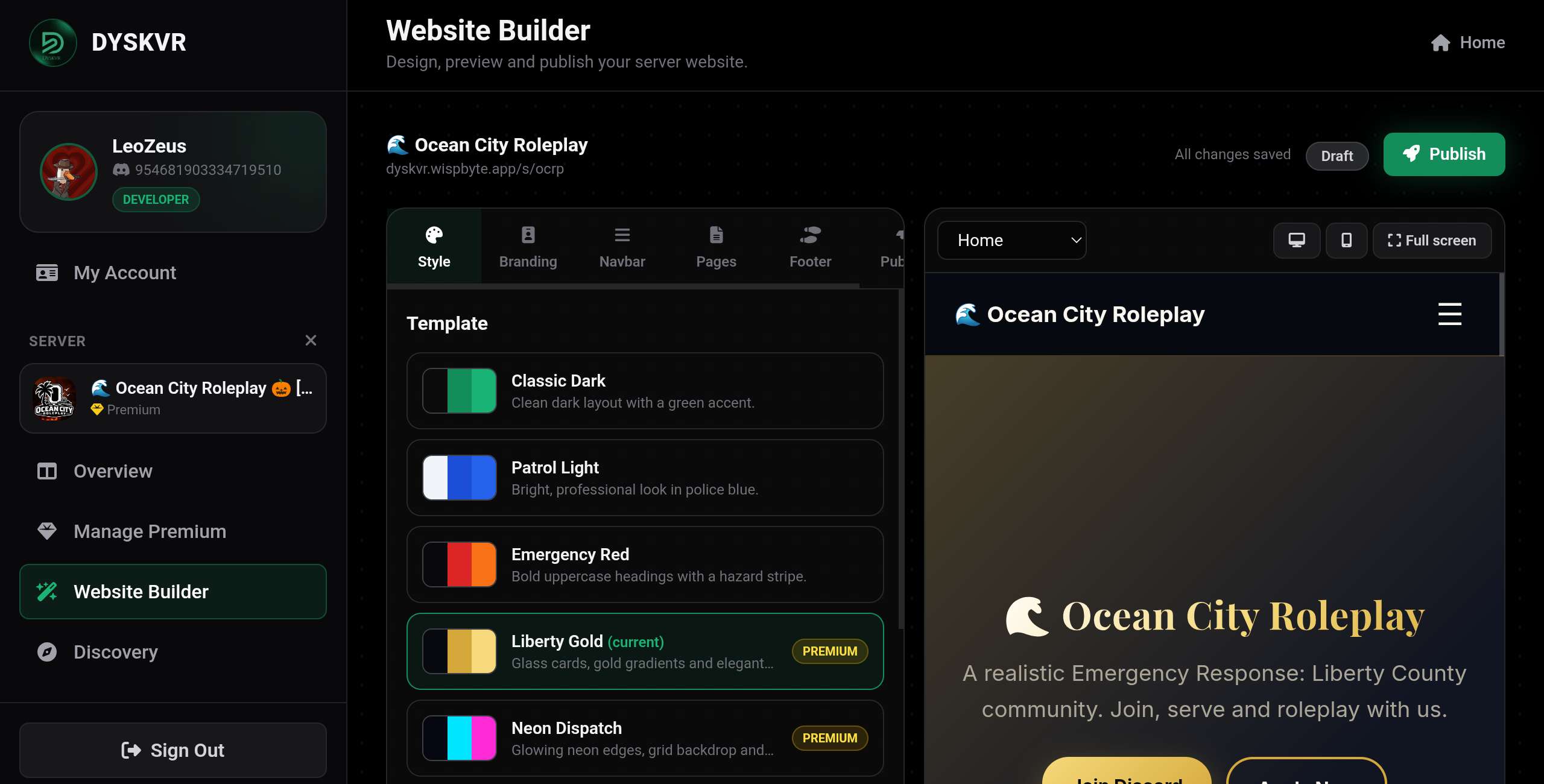
The Website Builder lets you make a website for your server with a live preview next to the editor. Open it from your server dashboard.
Styles#
| Style | Plan |
|---|---|
| Classic Dark | Free |
| Patrol Light | Free |
| Emergency Red | Free |
| Liberty Gold | Premium |
| Neon Dispatch | Premium |
Build your site#
- Pick a style and an addressChoose one of the five styles, name your site and pick its address, for example yourname for
/s/yourname. - Customize itUse the tabs: Style for colors and fonts, Branding for your logo and name, Navbar, Pages and Footer.
- Add containersOn the Pages tab, click Add container. There are text, image, gallery, FAQ and more. ER:LC containers include server info, departments, rules, applications, staff and session schedule.
- Preview and publishCheck the preview, try the mobile view or full screen, then click Publish. Your site goes live at once.
Images
Use direct links to images (PNG or JPG) from a permanent host. Discord attachment links expire after a while.
Edits are saved automatically
Your draft saves as you type. Visitors only see changes after you press Publish changes.